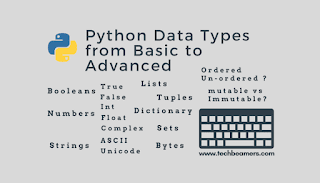
Data Types Sets : A Set is an unordered collection data type that is iterable, mutable and has no duplicate elements. Python’s set class represents the mathematical notion of a set. The major advantage of using a set, as opposed to a list, is that it has a highly optimized method for checking whether a specific element is contained in the set. This is based on a data structure known as a hash table . The Syntax of the set is : Define: a={Elements of set} Example: a={1,2,3,4} print(a) Warning: Please, always maintain the Indentation, as Python is too much sensitive about the Indentation(maintain the braces in the program Step by Step) Otherwise it will Throw an Error: "Indentation Error". Tupples : A Tuple is a collection of Python objects separated by commas. In some ways, a tuple is similar to a list in terms of indexing, nested objects, and repetition but a...




Thanks.It was helpful.
ReplyDeleteShi h
ReplyDeleteThanks You
DeleteJai shree Ram bhai
ReplyDeleteJai shree ram bhai ✌️
Delete